
How to Build a Live Dashboard for Every Launch (So You Decide Before the Data Shows Up)
Every time I launched, I made mid-campaign decisions based on a feeling. And the feeling was usually "everything is wrong and I need to shut it down." 😅
Here's what checking my numbers used to look like:
- Five tabs open. Sign-ups in one place, sales in another, ad stats in a third.
- Math in my head. Adding things up, comparing them to a goal I half remembered.
- No verdict. Just a pile of numbers and me trying to decide if any of it meant keep going or pull back.
But the tabs weren't the worst part. The worst part was deciding what counted as working in the middle of the campaign, when I was the least objective person on earth about it.
A launch dashboard was never about the numbers. It's about deciding what they mean before they show up.
Why I built a dashboard for every launch
I was tired of making money decisions by mood.
Mid-launch, a slow day feels like a disaster. A good day feels like proof you should double the ad budget. Neither one is a plan. It's just whatever you happen to feel when you open the tabs.
So for my most recent Behind the Build campaign, I tried something different. Before the campaign even started, I sat down with AI and we designed the dashboard first.
Two parts. A list of every number I'd check daily, and where each one actually lives. Then a short set of rules for what I'd do when those numbers came in.
Then Claude built the page. One page, with my live numbers, and the rules sitting right next to them.
Now the campaign tells me what to do, instead of my mood telling me what the campaign means.
I call those rules gates. A gate is a go or no-go rule you write before the campaign starts. It has a metric, a threshold, the date you'll check it, and exactly what you'll do if it passes or fails.
Raise the ad budget. Hold. Or stop promoting altogether. All decided in advance, while you're calm.
That's the part I think most of us skip. We set a goal ("I want 50 sales"), but we never decide what we'll do on day three when we're at 9. So day three becomes a judgment call made under pressure, and those are rarely good ones.
What actually changes with a live launch dashboard
❌ Before
- ❌ Five tabs open to answer one questionad platform, email tool, sales, spreadsheets
- ❌ Staring at numbers with no verdictis this good? should I scale? who knows
- ❌ Deciding what counts as working mid-campaignemotions in, objectivity out
✅ After
- ✅ One page with every number that matterspulled live from your own data when it opens
- ✅ Go or no-go rules written on the pagedecided before the campaign started
- ✅ A template you reuse for every launchnew campaign, same dashboard, fresh data
Checking in now takes about a minute. And it ends in a decision instead of a spiral.
The other thing I love? It's a template now. Every new event gets the same dashboard with fresh data, and comparing one launch to the next is where the real learning shows up.
Where to start with your own launch dashboard
- One upcoming campaign with real datesA launch, a promo, a challenge, a live demo. Pick the next thing you're actually running.
- The decision it needs to help you makeScale the ads, extend the promo, or call it. If you can't name the decision, the dashboard has nothing to answer.
- Where your numbers live todayYour email tool, your checkout, your ad account, any spreadsheet you log stats in. Just the list.
- An AI tool to think it through withThe one you already use is fine. The planning happens in a conversation before anything gets built.
Design your dashboard and gates
Copy this into your AI tool before your next campaign starts.
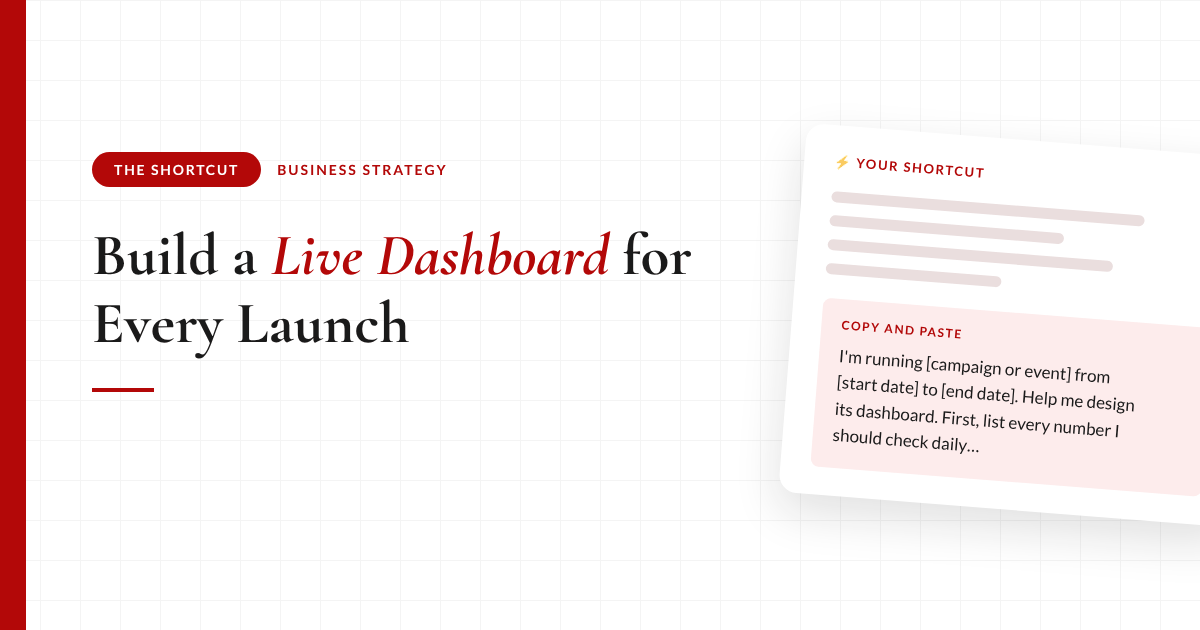
I'm running [campaign or event] from [start date] to [end date]. Help me design its dashboard. First, list every number I should check daily for this kind of campaign (sign-ups, sales, spend, conversion steps) and ask me where each one actually lives in my tools.
Then help me set 3 go/no-go gates using my own tracking data as the source of truth. For each gate: the metric, the threshold, the date I check it, and exactly what I do if it passes or fails (for example, raise ad spend, hold, or stop promoting).
Keep the gates honest: flag any percentage that shouldn't be trusted until at least 20 people have reached that step.
The takeaway
Mid-campaign is the worst possible time to decide what counts as working. Write the rules down before the data arrives, and don't let yourself move them once it does.
The full breakdown is inside The Shortcut
The prompt above designs the gates. Members get the dashboard that checks them for you.
- The prompt that builds the live dashboard page, with your gates showing pass or fail next to the numbers
- How I connect it so it pulls fresh numbers every time it opens (and the paste-once-a-day version if your tools don't connect)
- The rule I use to keep conversion rates from lying to me early in a launch
- Why I split funnel revenue from total revenue, and how the page shows both
- Which numbers I never read from the ad platform when real money is on the line
- My audio walkthrough of the Behind the Build dashboard, plus an AI assistant that adapts it to your campaign
Let's be real about what a launch dashboard can and can't do
A dashboard won't make a weak offer sell. It just tells you sooner, and more clearly, that it isn't.
It also can't protect you from bad numbers going in. On my recent event ads, the ad platform counted fifteen purchases. My own records showed seven. If I'd made the budget call off the first number, I'd have scaled something that wasn't working nearly as well as it looked.
And the gates only work if you keep them. The temptation mid-launch is to nudge the threshold so a "no" becomes a "maybe." Don't. If a gate turns out to be wrong, note it and fix it for the next campaign. That's what the template is for. 👉
Last thing. You don't need a fancy setup to start. Paste your numbers in once a day if that's what your tools allow. The gates work the same either way.
Common questions
What should a launch dashboard include?
A launch dashboard should show every number you check daily during a campaign, such as sign-ups, sales, ad spend, and each step of your funnel, on one page. The most useful ones also show a few go or no-go rules next to those numbers, so every check-in ends in a decision.
What is a go/no-go gate in a marketing campaign?
A go/no-go gate is a rule you write before a campaign starts. It names a metric, a threshold, the date you will check it, and the exact action you will take if it passes or fails, such as raising ad spend, holding, or stopping promotion.
Can AI build a dashboard from my business data?
Yes. An AI tool like Claude or ChatGPT can design the metrics with you and build a simple dashboard page. If your data tool connects to your AI, the page can pull live numbers each time it opens. If not, you can paste your numbers in once a day and the page recalculates.
When should I decide whether to scale my ads during a launch?
Decide the rules before the launch starts, then check them on the dates you set. Deciding mid-campaign means reacting to how one day feels, which usually leads to scaling too early or quitting too soon.
Should I trust my ad platform's purchase numbers?
Use them as a signal, not as your source of truth for money decisions. Ad platforms often report more conversions than actually happened. Compare them against your own sales records before you raise or cut your budget.
Recommended Resources 🛠️
The tools behind this shortcut.
Some of these are affiliate links. If you sign up through them I may earn a commission, at no extra cost to you.