
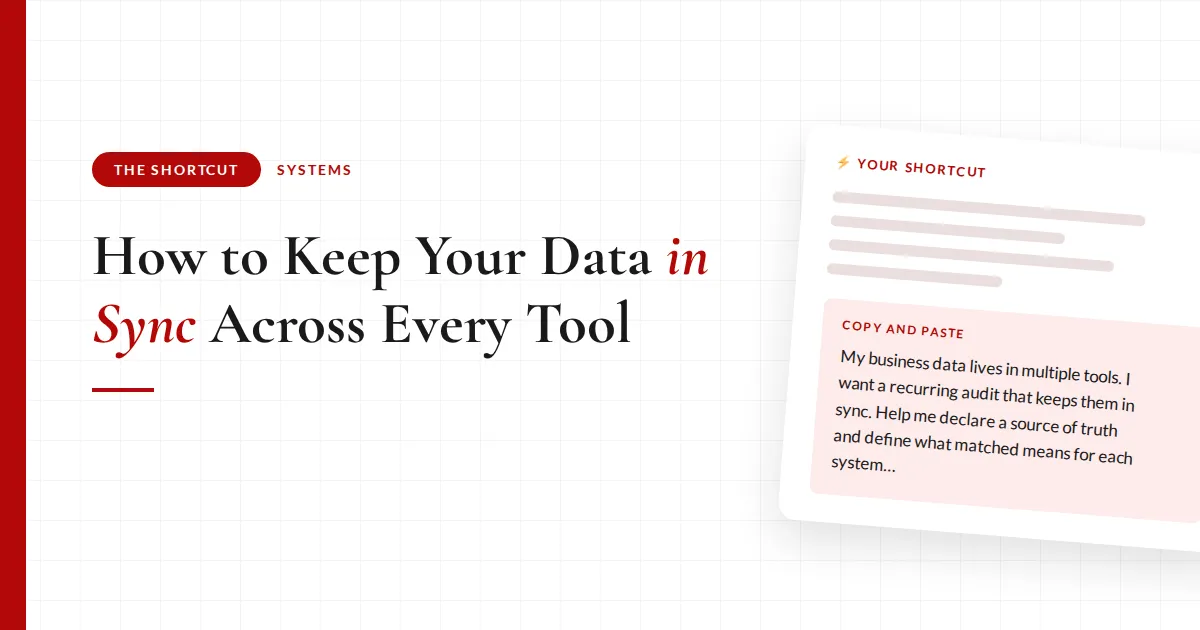
How to Keep Your Data in Sync Across Every Tool (Without Checking It Yourself)
A few weeks ago I found out that a paying member of mine was tagged as cancelled in my email tool.
She never left. She was paying every month.
And instead of getting the content she paid for, she was getting winback emails asking her to please come back.
Nothing dramatic caused it. No automation "broke." A sync just didn't fire the way it should have, and nothing existed to catch it.
I want to be really clear about something before we go further, because this is the part people get wrong. Having those automations is the right move. You should absolutely have them. I am not telling you to trust your tools less.
But if your business runs on more than one tool, there is almost certainly a mismatch sitting in your data right now:
- Someone cancelled in your payment processor but kept their active tag, so they are still getting customer emails
- Someone bought and never got tagged at all, so they are missing what they paid for
- A refund went through in one place and nowhere else, so your revenue number is wrong and nothing tells you
The automations were never the problem. The problem is that nothing was watching them.
Why I built this
My automations were set up correctly. Every one of them worked when I tested it.
That is exactly why this went unnoticed for weeks. There was no error message, no failed webhook sitting in a log somewhere waiting for me to find it. The system believed it had done its job.
I only found it because I sat down and did one deep manual audit, cross-referencing my Airtable base against Stripe and Kit by hand.
And the lesson I took from it was not "fix the automations." It was: keep them, and put something behind them that catches what slips through.
A list costs me nothing. A wrong auto-fix could cost me a customer.
So now that audit runs on a schedule instead of running when I happen to get suspicious. It compares my systems against each other and hands me a report.
And it reports. It does not fix. That one rule is doing more work than anything else in the build.
What actually changes
❌ Before
- Cancelled customers still getting member emailsand paying ones getting winbacks
- Multiple tools, multiple versions of the trutheach one thinks it is right
- Revenue numbers you cannot fully trustdecisions made on mismatched data
✅ After
- The right people get the right emailsactive means active, cancelled means cancelled
- Every mismatch flagged with the exact fixperson, problem, and the change to make
- Changes only happen after you approvea list costs nothing, a wrong auto-fix costs a customer
Where to start with your own audit
- Wherever your customer or member data livesA database, a spreadsheet, your CRM. This is the list of who should be active.
- Your payment processorThis is your evidence. It knows who is actually paying you and how much.
- Your email toolWhere the tags live, and where a mismatch does the most visible damage.
- A decision about which one is rightPick the tool you trust most and make it the source of truth. An audit without one is just three tools arguing.
Design your audit before you automate it
Fill in the brackets and run this first. The structure is the part that makes it work.
Copy and paste
My business data lives in multiple tools: [list them, e.g. Airtable, Stripe, Kit]. I want a recurring audit that keeps them in sync. First, help me declare a source of truth and define what "matched" means for each system: for [database], what status each record should have; for [payment tool], what a live subscription at the right amount looks like; for [email tool], which tags should and shouldn't be on each person. Then have me confirm which unique ID connects a person across all the tools (ie: Stripe customer ID), because matching on email alone could grab the wrong records or purchases. Show me the audit design for approval before checking anything.
The takeaway
Stop assuming your automations are still working because they worked the day you built them. Put an audit behind them, run it on a schedule, and keep the approve button in your hands.
The full breakdown is inside The Shortcut
The prompt above designs the audit. Members get the version that runs itself every week and reports without being asked.
- Prompt 2, which turns the design into a scheduled task with the report-never-fix rule baked in
- The matching rule that stops the audit counting the wrong subscription, and why email alone breaks it
- The second direction almost nobody checks, which is where my member was hiding
- How to pick your cadence, and why steady signups need a tighter one than weekly
- What a clean run should tell you, so silence never gets mistaken for working
- The no-connector version: same audit, run off CSV exports
- The audio walkthrough, the full before and after, and the tool-by-tool setup
Let's be real about what a data audit does and does not do
An audit does not fix your automations. It tells you one of them slipped.
If the same person shows up on the report three weeks running, the answer is not to keep correcting them by hand. Something upstream is broken and the audit is just handing you the evidence.
The other thing worth saying plainly: the report itself can be wrong. Mine has flagged people as mismatched when the real problem was a duplicate customer record, not a status issue. That is annoying for about ten seconds and completely harmless, which is the entire argument for reporting instead of fixing.
And if your tools are not connected to AI, you can still do all of this. It is just a monthly CSV export instead of a weekly scheduled run, and monthly beats never by a mile.
Common questions
How do I keep customer data in sync across multiple tools?
Declare one tool your source of truth, then run a recurring audit that compares every other tool against it. Match people on a unique ID rather than email, define what a correct record looks like in each system, and have the audit report mismatches rather than fix them. The comparison is what catches drift; the automations themselves cannot tell you when they have failed silently.
Why do my email tags get out of sync with my payment processor?
Usually a webhook that did not fire or a sync that timed out. These failures are silent by design: no error surfaces, and the automation believes it completed. That is why the mismatch can sit there for weeks. The fix is not a more reliable automation, because every automation fails eventually. It is a scheduled check that compares the two systems and tells you when they disagree.
Should I let AI automatically fix data mismatches?
No. Have it report and wait for your approval. AI can misread a duplicate customer record as a cancellation, and if it has permission to act, it will strip tags from a paying customer or trigger the wrong email sequence. A report you skim costs you thirty seconds. A wrong automatic change can cost you the customer you were trying to protect.
How often should I audit my member or customer data?
Weekly at a minimum. If you get new members or customers steadily, run it daily or every couple of days so nobody sits with the wrong emails for more than a day or two. The point is that it runs on a schedule without you thinking about it, so match the rhythm to how fast your list actually moves rather than picking a cadence you will ignore.
Can I audit my data if my tools aren't connected to AI?
Yes. Export a CSV from each tool, drop them into your AI tool together, and ask it to find every person whose status does not match across the files. It is the same audit done manually, and running it once a month still catches the mismatches that would otherwise sit for a year. You can also hand this to a team member as a recurring task.
Recommended Resources 🛠️
The tools behind this shortcut:
- Airtable · the source of truth every other system gets checked against
- Stripe · the payment evidence: live subscriptions at the right amounts
- Kit · where tags get checked against reality in both directions
- Claude · runs the comparison on a schedule and builds the report
Some of these are affiliate links. If you buy through one I may earn a commission, at no extra cost to you. I only list tools I actually use.