
How to Find Out Who's Actually New to Your List After Every Collab
When you join a bundle, a summit, or any kind of collab, the host tells you how many people signed up through you. And that number feels great. A hundred new leads! 🎉
But here's the question nobody asks: how many of those hundred people were already on your list?
Because a hundred leads where ninety already knew you is a completely different result than a hundred leads where ninety are brand new. Same number. Totally different outcome.
And that one number drives two decisions:
- Whether the event was worth it. Which collabs get another yes next year, and which ones don't.
- What you say to the people who came in. Brand-new subscribers have no idea who you are. They need an introduction. The people who already know you don't.
The number that matters isn't how many people signed up. It's how many of them were new to you.
Why I built this
Someone gave me this idea recently, and I couldn't believe I hadn't been framing it this way.
I say yes to a lot of collabs. Bundles, summits, newsletter swaps, guest spots. And for years, the only number I looked at afterward was the one the host sent me.
The thing is, I already had the pieces in place. Every collab gets its own tag in Kit, my email tool. And the leads land in my collab tracker in Airtable, right next to the event they came from. (I wrote about that setup in how I automate my partnership intake.)
So the audit was the easy part. When an event wraps, AI tells me how many of those people were actually new to my list.
And it changed both halves of my collab decisions. Which events get another yes. And what the brand-new people hear from me first.
Tracking where people came from is a setup decision, not a cleanup job.
That's the part most people miss. You can't go back after an event and figure out who came from where. If nobody tagged them on the way in, that answer is gone.
And I think raw lead counts are the vanity metric of collabs. A smaller event that brings you mostly new people can beat a big one full of subscribers you already had. You just can't see it if you're only counting signups. 👀
What actually changes when you count new subscribers per collab
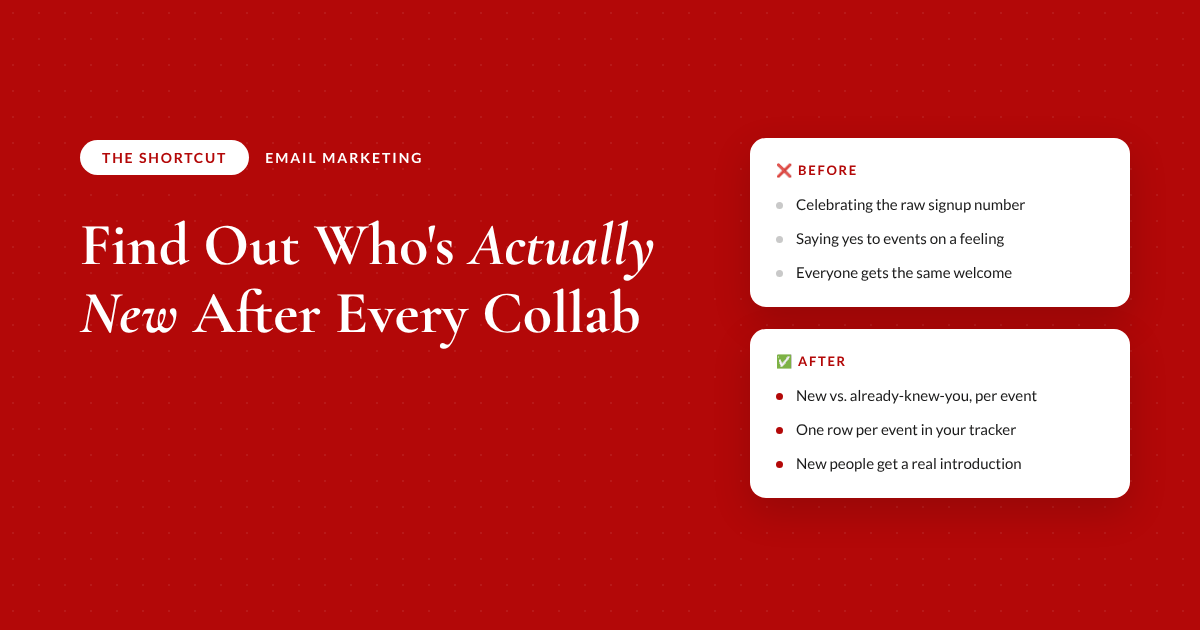
❌ Before
- ❌ Celebrating the raw signup numberwith no idea how many you already had
- ❌ Saying yes to the same events on a feelingwas it worth it? nobody checked
- ❌ Sending everyone the same welcomestrangers and longtime readers get one email
✅ After
- ✅ New vs. already-knew-you, counted per eventthe real growth number, not the vanity one
- ✅ One row per event in a tracker you ownnext year's yes or no reads from data
- ✅ New people get a real introductionbecause they have no idea who you are yet
Where to start with your own collab audit
- One event with its own tagPick a bundle, summit, or swap where everyone who came in through it carries the same tag or campaign value in your email tool.
- The event's start and end datesThe start date is what separates people who were already on your list from people who are new.
- Access to your subscribersEither your email tool connected to your AI tool, or an export with email, signup date, and tags.
- Somewhere to write the answer downA spreadsheet or database you own, so this event's result is waiting for you next year.
Run the new-to-list audit for one event
Copy this into your AI tool after your next collab wraps. Fill in the brackets with your event, your tag, and your email tool.
I participated in [event name] from [start date] to [end date], and everyone who came in through it has the tag or campaign value [tag/UTM value] in [email tool]. If you're connected to my email tool, pull the subscribers with that tag yourself; if not, I'll paste or upload an export with email, signup date, and tags.
Then tell me: how many subscribers carry this event's tag, how many of those were already on my list before [start date], how many are actually new, and the percentage new. List the new subscribers separately, and exclude [my own email, the host, any test emails].
Finish with a one-line verdict on whether this event brought me a fresh audience or mostly people I already had.
The takeaway
Give every collab its own tag before it starts. When it wraps, the brand-new people are your real result, and they need an introduction, not a pitch.
The full breakdown is inside The Shortcut
The prompt above runs the audit once. Members get the system that turns every audit into next year's decision.
- The prompt that builds your standing event tracker, one row per event, so next year's yes or no is read from data
- The 30-day recheck, and why cancelling a trial is not the same as leaving your list
- How to welcome brand-new people differently from the ones who already know you
- The checklist I run before and after every collab
- How my audit runs straight from my email tool, with nothing to export
- My audio walkthrough of the full strategy, plus an AI assistant that customizes it to your email tool
Let's be real about what a new-to-list audit can and can't tell you
It can't fix an event that wasn't tagged. If you didn't create the tag before it started, there's nothing to audit. Set it up for the next one and move on.
It also doesn't tell you who bought. New to your list and bought from you are two different questions. Answer the list question first, because that's the one that tells you if the audience was actually fresh.
And be careful what you count as a loss. On one collab, five out of seven people cancelled their free trial to my membership. But six out of seven were still on my email list. If I had measured those as one thing, I would have called a good event a bad one. 😅
If you'd rather skip the comparison step entirely, I built it into Simple AI Pages, my AI page builder. When someone signs up through one of your forms, it checks whether they're already on your list and tags the brand-new people for you.
Common questions
How do I know if a collab or summit actually grew my email list?
Compare the subscribers tagged from that event against who was already on your list before the event started. The people who weren't there before are your real growth. The raw signup number the host shares includes people who already knew you, so it always looks bigger than the actual result.
Why should I tag subscribers before an event starts?
Because you can't figure out where people came from after the fact. If every person who signs up through an event gets that event's tag or campaign value on the way in, you can audit the results anytime. Without it, the answer is gone.
Should brand-new subscribers get a different welcome email?
Yes. People who are new to your list have no idea who you are, so they need an introduction before they hear a pitch. People who were already subscribed don't need that, so sending everyone the same welcome either confuses one group or bores the other.
Is a bigger summit always better for list growth?
No. A big event can bring in a lot of signups who were already on your list, while a smaller one can bring mostly new people. Judge each event by how many actually new subscribers it brought you, not by the raw lead count.
Can AI check which subscribers are new to my list?
Yes. If your email tool connects to your AI tool, it can pull the tagged subscribers directly. If not, you can upload an export with email, signup date, and tags, and AI can split the new people from the ones who were already there.
Recommended Resources 🛠️
The tools behind this shortcut.
- Kit · gives every event its own tag
- Airtable · holds the one-row-per-event tracker
- Simple AI Pages · tags brand-new subscribers on your forms
- Claude · runs the audit
Some of these are affiliate links. If you sign up through them I may earn a commission, at no extra cost to you.