
How to Automate Your Post-Call Follow-Up Email (So It's Drafted Before You Close the Tab)
This week's shortcut is about the email you promise on every single call and then almost never send on time.
The follow-up.
You know how it goes. The call ends, the recording saves somewhere, and "send them the recap" joins your mental to-do list. Where it sits for two days while the details get fuzzy.
Which is a problem, because that follow-up is probably the highest-value email you send to a client. It's the replay. The next steps. The proof that you were actually listening.
So why does it always slip? It's not laziness, and it's not that you don't care. It's that sending it well means opening four things:
- The replay link, which lives in your call recorder
- The next steps, which live in your memory (or a page of half-legible notes)
- Their email address, buried in a booking confirmation somewhere in your inbox
- A blank draft, waiting for you to remember all of it at once
The follow-up was never a writing problem. It's a gathering problem.
Why I built this
I kept promising replays and recaps on calls, then losing the thread in the post-call shuffle.
Even when I took handwritten notes. By the time I sat down to write the email, the details were fuzzy and the momentum was gone.
But the part that actually bothered me was the testimonials.
Clients say remarkable things on calls. Real things, out loud, unprompted. One told me "your brain works in such a different way from mine, I'm so glad I have your support." That's testimonial gold, said in her exact words, and I had no system for catching any of it.
So it would evaporate. Every time. Somewhere between the call ending and me getting to the next thing.
Now the email assembles itself while the call is still warm, and I just make the final call on the send.
What actually changes
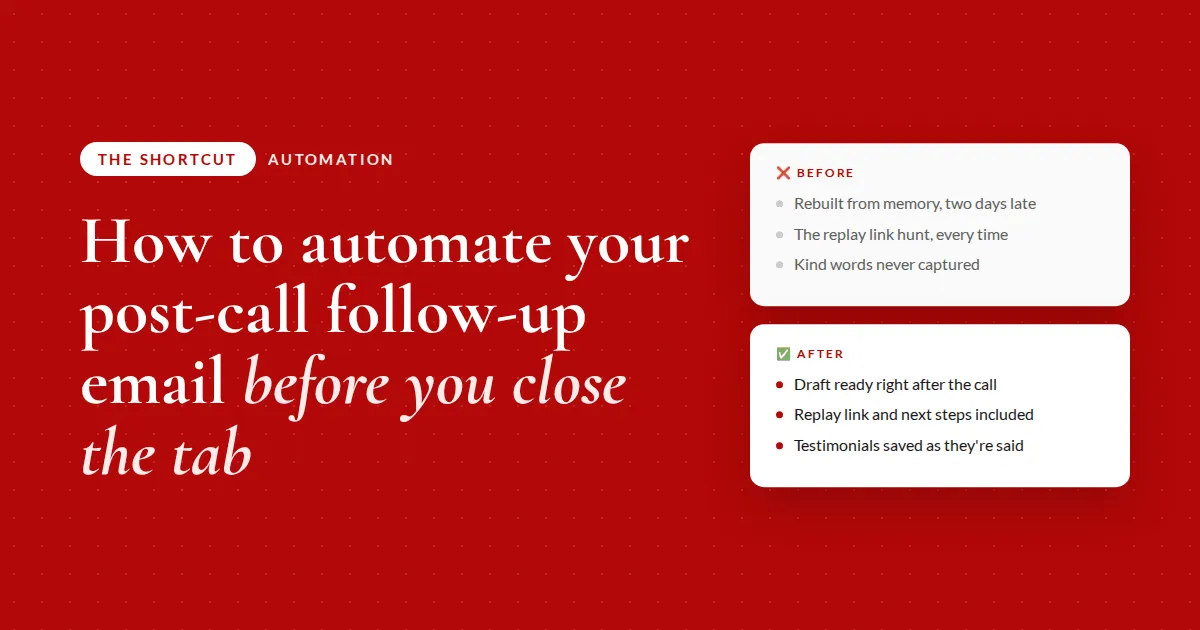
❌ Before
- Rebuilding the call from memorytwo days later, details already fuzzy
- The replay link huntacross four tools, every single time
- Testimonial gold said out loudand never captured anywhere
✅ After
- Draft ready right after the callwhile everything is still fresh
- Replay link and next steps includedpulled straight from the call itself
- Kind words saved as they're spokencaptured in the client's own words
Where to start
- Your call recorder. Anything that produces a transcript and a shareable link works. I use Fathom because it connects straight to my AI tool, but a downloaded transcript does the same job.
- Wherever booking confirmations land. This is how you get the right email address without guessing. Mine come into Gmail, which is the easiest inbox to connect.
- One recent call you never followed up on. Start with a real one you owe. It's a better test than a hypothetical.
- Somewhere to keep the quotes. A note, a doc, a table. Anywhere you'll actually look when you need a testimonial.
Draft the follow-up for your last call
Fill in the brackets and run it right after your next call ends.
Copy and paste
I just finished a 1:1 call with [client name] and I want the follow-up email drafted for me. My call recorder is [Fathom / Zoom / other] and it's connected to AI. Find my most recent call, grab the shareable replay link, and read the transcript for two things: every next step or follow-up we agreed to (mine and theirs), and any moment where the client said something positive about working with me, quoted in their exact words. Then find their email address by scanning my [Gmail / inbox / calendar] for the booking confirmation email from when they scheduled the call, not by guessing from the transcript. Draft the follow-up in my voice as a [Gmail] draft, never send it: a warm opener, the replay link, the next steps laid out clearly for them, and a friendly close in my tone of voice. Show me the draft and flag anything from the transcript you weren't sure about.
The takeaway
Stop treating the follow-up as something you write. Treat it as something you assemble, at the moment the material is freshest, and keep your hand on the send button.
The full breakdown is inside The Shortcut
The prompt above drafts one follow-up. Members get the version that runs after every call without being asked.
- Prompt 2, which turns this into a saved skill with the drafts-only and never-guess rules baked in
- The exact split between what you owe them and what they owe you, and why that changes the email
- How this plugs into a call library you may already have, so one recording does two jobs
- The no-recorder version: 90 seconds of input, same result
- The audio walkthrough, the before and after, and the full tool-by-tool setup
Let's be real about what this can get wrong
Transcripts mishear things. Names, numbers, and dates especially.
If a client says "let's revisit in six weeks" and the transcript catches "six months," your AI will confidently put six months in the email. It has no way to know better.
This is exactly why the two minutes of review are not optional, and why I would not automate the send even if I could.
A follow-up with the wrong deadline in it is worse than a follow-up that went out a day late.
The other honest caveat: if your calls are unstructured and you never actually say the next steps out loud, there's nothing in the transcript to pull. The fix isn't a better prompt. It's ending your calls by saying the next steps out loud, which is a good habit regardless.
Common questions
How do I write a follow-up email after a client call?
Include four things: a warm opener that references something specific from the call, the replay or recording link, the next steps split into what you owe them and what they owe you, and a friendly close. Write it the same day while the details are fresh, because a same-day email with a small mistake beats a perfect one that arrives next week.
Can AI write my client follow-up emails for me?
AI is better used to assemble the follow-up than to write it from nothing. Have it pull the replay link, the agreed next steps from the transcript, and the client's email address, then draft the message in your voice and stop there. You review and send. The gathering is the slow part, and that's the part worth handing over.
How do I capture testimonials from client calls?
Have your AI tool read the transcript for any moment the client said something positive about working with you, and save those as direct quotes rather than summaries. Exact wording is what makes a testimonial usable. Store them somewhere you'll look later, so that when you need social proof you're pulling from a list instead of trying to remember.
Should AI send emails on my behalf?
For client-facing email, no. Set the rule that it only ever creates a draft. Transcripts mishear dates and names, and a wrong commitment sent under your name is far more expensive than the two minutes it takes to read a draft before sending. Automate the assembly, keep the send.
What if I don't record my calls?
Voice-note the next steps into your AI tool right after the call ends and have it draft the follow-up from that. It's about 90 seconds of input and gets you the same email. You lose the replay link and the verbatim quotes, but you keep the part that matters most, which is the follow-up actually going out.
Recommended Resources 🛠️
The tools behind this shortcut:
- Fathom · recorded the call and handed over the transcript
- Gmail · where the booking confirmation lives and the draft lands
- Claude Simplified · how to actually set up and use Claude
Some of these are affiliate links. If you buy through one I may earn a commission, at no extra cost to you. I only list tools I actually use.