
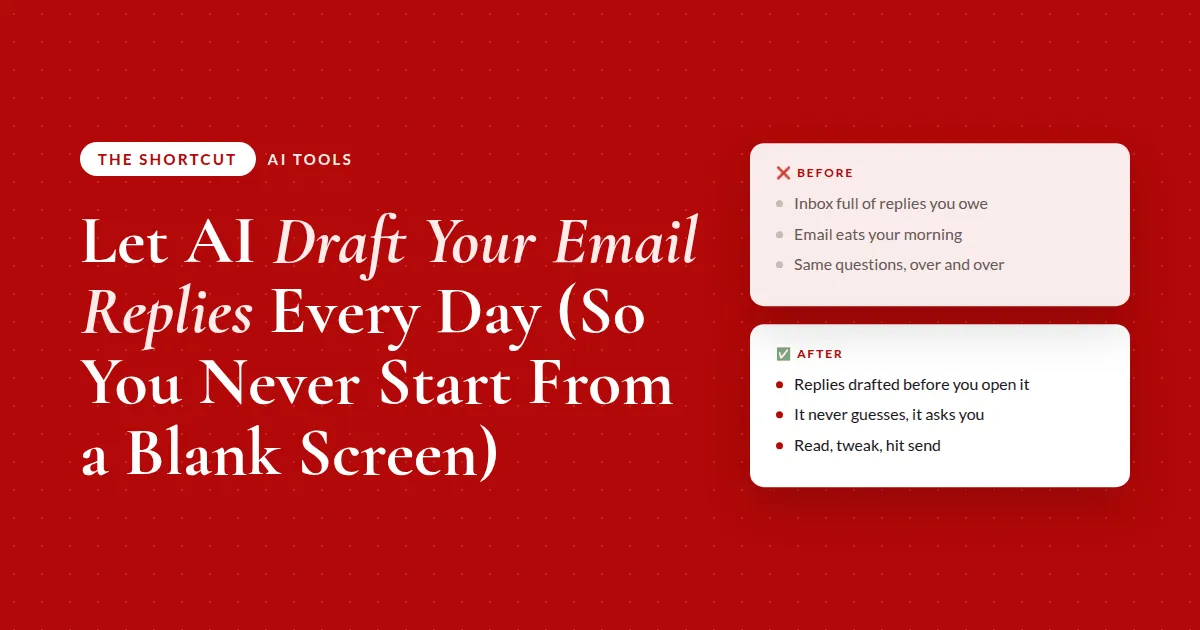
How to Let AI Draft Your Email Replies Every Day (So You Never Start From a Blank Screen)
I want to talk about the thing that eats more of your day than almost anything else: your inbox.
For most of us, email is the first thing we open and the last thing we finish. And the problem isn't that any single email is hard. It's that there are so many of them, and every one pulls you out of the real work to write a reply from scratch:
- The same handful of questions, answered one at a time
- The quick "yes, I'd love to" and the "here's the link" replies
- An hour of your morning gone before the real work starts 😅
You don't need to answer email faster. You need the first draft done for you.
When the writing is already handled, your inbox stops being an hour of typing and becomes a few minutes of reviewing. That's the whole shift.
Why I built this
I do a lot of different things in my business: 1-1 client work, digital products, apps. Which means I get a lot of email.
I wanted to reply to every person. But doing that was eating the majority of my day, and I was so tired of it. I'd sit down for focused work and lose the morning answering the same kinds of questions one at a time, even though I had a help center and reference docs sitting right there.
And I wasn't ready to hand my personal inbox to an assistant, because I didn't want the wrong thing going out with my name on it.
So I built a routine that reads my Gmail inbox a few times a day and drafts replies to the emails that actually need a personal response from me. Mine runs three times: first thing in the morning, again in the afternoon, and once more before I log off. So no matter when I check, the drafts are already waiting instead of piling up.
The key word is drafts. It does not send anything. Every reply lands as a draft, so I'm still the one who reviews it and hits send. I just don't start from a blank screen anymore.
Three things make it work:
- It writes in my voice. It's trained on how I write and pulls from my past sent emails and my help docs, so the drafts sound like me and the answers are accurate
- It ignores the noise. Promotions, receipts, newsletters, anything automated. It only touches the emails where a real person is waiting on me
- It never guesses. This is the part I really want you to hear. If an email needs a decision, or a price, or something it can't answer confidently, it skips that one and tells me the exact question it needs from me
Here's the opinion I'd push on. People hear "AI in my inbox" and picture one of two extremes: either it's sending things without them, or it's a toy that can't be trusted with anything real.
The version that actually works is in the middle. Drafts only. Your voice. Asks when it isn't sure. You give up the typing, not the control 🙌
And if a VA or assistant manages your inbox, this saves them just as much time. They open replies already written in your voice and review them, instead of drafting every one from scratch or guessing how you'd word it.
What actually changes
❌ Before
- Inbox full of replies you oweeach one written from scratch
- Email eats your morningan hour gone before real work starts
- Same questions, over and overyou answer them one at a time
✅ After
- Replies drafted before you open itwaiting in your voice
- It never guessesskips what it can't answer and asks you
- Your morning is a quick reviewread, tweak, hit send
Where to start
Before you automate anything, get three rules straight. They're what make this safe enough to actually use:
- Drafts only. Always. It saves replies for you to review and send. It never sends on its own. You, or your team, have the final say on every message
- Never guess. If it can't answer confidently, it skips the email and hands you the exact question it needs. Nothing wrong ever goes out
- Train it on your voice once. Point it at your sent folder, your help docs, or a saved brand-voice skill, so every draft after that sounds like you instead of you fixing the tone each time
Get those right and the rest is scheduling. Get them wrong and you'll turn it off within a week, because you'll spend more time fixing drafts than you saved.
Here's how to draft your replies in your voice
This is the prompt I'd start with. It has all three rules baked in, so the first run is safe. Drop it into whatever AI tool you use. If you're on Gmail, this is the easiest setup I know of: it connects directly to Claude, so it can read your inbox and save the drafts itself. If your inbox isn't connected, paste an email in and it still works.
I want you to draft replies to the emails in my inbox that actually need a personal response, written in my voice. Here's my business: [2-3 sentences].
Go through my inbox and find only the emails where a real person is waiting on a reply from me, and skip promotions, newsletters, receipts, and anything automated. For each one that needs a reply, draft it in my voice using [my past sent emails / my help docs / FAQ] as the source so it sounds like me and stays accurate.
Save each reply as a draft for me to review, and never send anything on its own. If you can't answer an email confidently, do not guess: skip it and give me the exact question you need me to answer. When you're done, give me a short summary of what you drafted and what needs my input.
Run it once by hand before you schedule it. If the drafts sound like you and it asked instead of guessing on the tricky ones, you're ready for the automated version.
The takeaway
Stop answering email from a blank screen. Let AI write the first draft in your voice, keep it in draft mode, make it ask when it's unsure, and stay the one who hits send.
The full breakdown is inside The Shortcut
That prompt drafts today's replies. Members get the version that runs without you:
- Prompt 2, which turns it into a scheduled task that runs three times a day (morning, afternoon, end of day) and reports back what it drafted and what's waiting on you
- How I trained it on my voice so I stopped fixing the tone on every draft
- Where I keep my help docs, FAQs, and past answers so the replies stay accurate as things change
- Four ways to adapt it: support inboxes, memberships, partner and lead replies, and inboxes a VA manages
- How to save the whole routine as a "Daily inbox triage" skill, plus my audio walkthrough
The truth about handing over your inbox to AI
I know this is the one that makes people nervous. Your inbox is personal. It's your name on every reply.
Here's where I land. I didn't hand over my inbox. I handed over the typing. Nothing leaves until I've read it, the tricky ones come back to me as questions instead of answers, and the drafts sound like me because they're built from things I already wrote.
If that still feels like too much, start smaller. Run it on just the support-style questions you answer every week. Once you've seen it ask instead of guess a few times, you'll trust it with more 👉
Common questions
Can AI draft my email replies without sending them?
Yes. Set the rule that it only ever saves a draft and never sends on its own. The replies land in your inbox as drafts, you read them, tweak if needed, and hit send. You keep the final say on every message.
How do I make AI write emails in my voice?
Give it real examples of how you write: your sent folder, your help docs, or a saved brand-voice document. Tell it to use those as the source for tone and accuracy. After that, every draft starts sounding like you instead of a generic assistant.
What if AI gets an answer wrong?
Give it a hard rule to never guess. If it can't answer an email confidently, it should skip that one and hand you the exact question it needs answered. Combined with drafts-only, a wrong reply never goes out under your name.
How often should the inbox routine run?
A few times a day works well: first thing in the morning, once in the afternoon, and once before you log off. That way fresh drafts are waiting every time you check instead of piling up, and you're not interrupted by it constantly.
Does this work if my AI tool isn't connected to my inbox?
Yes, just manually. (If you want the connected version, Gmail is the easiest: it connects directly to Claude.) Paste an email into your AI tool, have it draft the reply in your voice from your notes or help docs, and copy it back into your inbox. The connection only makes it run on a schedule without you.
Recommended Resources 🛠️
- Gmail · my inbox, connects directly to Claude
- Airtable · where my help docs and past answers live
- Claude Simplified · how I set up Claude, connectors, and scheduled tasks
- AI Skill Shop · ready-made skills like this one
Some of these are affiliate links. If you buy through one I may earn a commission, at no extra cost to you. I only list tools I actually use.