
How to Log Every Email You Send to a Database That Updates Itself
Every time you send an email, your platform tracks who opened it, who clicked, how it performed. That information is gold.
And I'll be honest: even though I knew it was important, I wasn't bothering to dig through it 😅
Because it's stuck inside the platform, one email at a time. Which means you can't really:
- Compare this month to last month
- Scroll through a year of subject lines to see what actually worked
- Check what themes you already covered before you write the next one
- Find your own best email from six months ago without clicking through forty reports
Your email platform is a great place to send from. It's a terrible place to think from.
The thinking happens when your data lives somewhere you can actually work with it. And right now, for most of us, it doesn't.
Why I built this
I built a small automation that copies all of it into a database I own. Every single day it pulls my sent emails and their stats into one table, and it keeps refreshing the numbers for a few days after each send, because opens and clicks keep trickling in.
Then I did the one-time part that makes the whole thing worth it: I backfilled every email I'd ever sent. So instead of starting from an empty table, I started with my entire history in one place.
Once it was all there, I could finally see patterns. I can look across hundreds of emails and notice that my curiosity-driven subject lines beat the descriptive ones almost every time. I can check what I covered in the last 60 days so I stop accidentally repeating myself.
My content decisions come from my own data now, not from what I happen to remember.
And here's the part I really want you to hear, because it's bigger than analytics.
Everything I've ever sent lives in one place. So my other skills and automations can look at that table and pull my actual tone of voice straight from the real emails I've written. Not a brand voice doc I wrote once in a hurry. The real thing, updated with every send.
I still have AI draft emails for me, and I still have final say on every one. But the voice it's drafting from is always current with where I am in my life and my business right now, not where I was when I wrote the style guide.
That's the difference between a database and a dashboard. A dashboard tells you what happened. A database you own becomes raw material for everything you make next 🙌
What actually changes
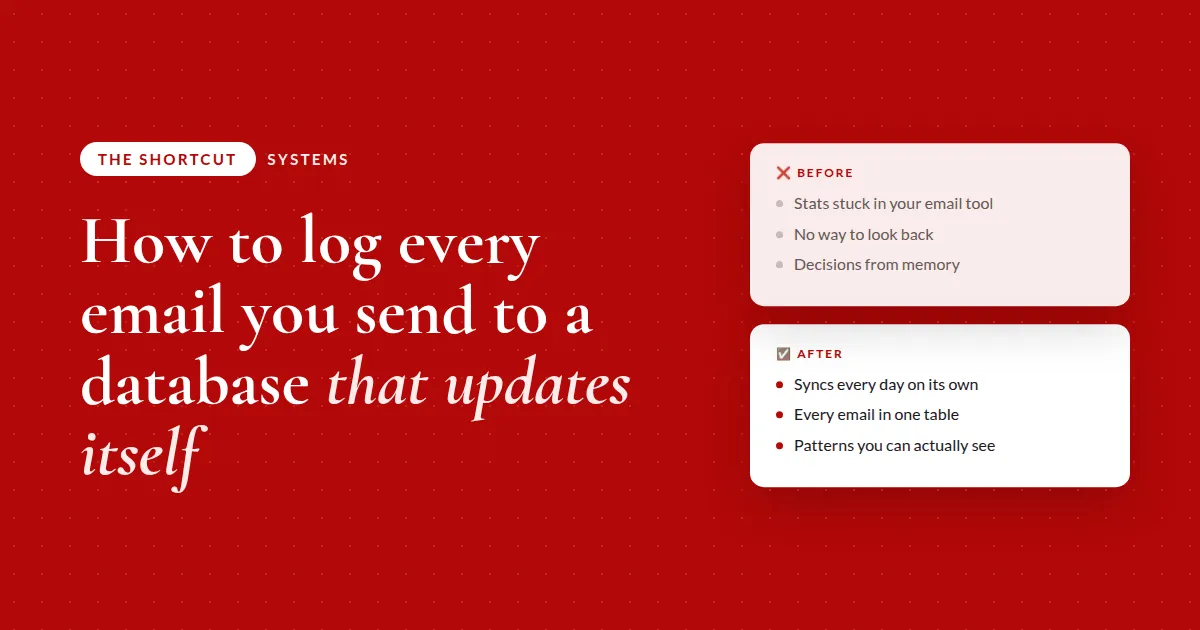
❌ Before
- Stats stuck in your email toolone email, one report at a time
- No way to look backyour best data is buried
- Decisions from memorysorry, not sorry: it isn't reliable
✅ After
- Syncs every day on its ownnew sends and stats logged for you
- Every email in one tablestats keep refreshing after the send
- Patterns you can actually seeacross your whole email history
Where to start
Don't start with the automation. Start with the table.
The mistake people make is building the daily sync first and ending up with a going-forward log that's useless for six months. Get three things right up front and the rest is easy:
- The columns. Subject line, send date, recipients, open rate, click rate, and the body copy if you can get it
- A deduplication key. Something that never changes, like your platform's broadcast ID, so the sync can run every day without creating a duplicate row
- The backfill. Pull your entire send history in one pass so you have something to analyze on day one, not in a year
And a note on platforms, because I know what you're thinking. I use one that connects to AI, so mine runs fully hands-off. But don't hear that and decide this isn't for you. Any platform works. If yours isn't connected, you export a CSV or hand AI a weekly screenshot of your stats dashboard and let it do the data entry. Same table, same result.
Here's how to design the database
This is the first prompt I'd run. It doesn't automate anything yet. It designs the table and plans the backfill, so you approve the structure before a single record gets written. Drop it into whatever AI tool you use.
My email tool is [name] and I want to copy every email I send, plus its open and click rates, into a database I own in [Airtable / Google Sheets / Notion].
First, help me design the table: the columns (subject line, send date, recipients, open rate, click rate), the field types, and which field to use as a deduplication key so nothing ever duplicates.
Then give me a plan to backfill my entire send history in one pass so I start with everything, not an empty table. Show me the structure and the backfill plan first so I can approve it before we automate anything.
Run that, approve the structure, and you've done the part everyone skips. The sync itself is the easy bit.
The takeaway
Move your data somewhere you own, on a schedule, and backfill it once. A year of sends becomes one searchable table instead of a hundred separate reports, and your own words become the source everything else draws from.
The full breakdown is inside The Shortcut
That prompt designs the table. Members get the part that fills it and keeps it current:
- The prompt that builds the daily sync as a scheduled task, including the 7-day stats refresh and the dedup check, so it runs without you
- The two not-connected paths, step by step: pull your copy from Google Docs or ClickUp weekly, and turn a dashboard screenshot into clean rows
- The optional live-dashboard prompt, and why I keep the database as the source of truth anyway
- Exactly how I point my other skills at this table so every email AI drafts sounds like me, current to this week
- My audio walkthrough, including the subject-line pattern I only spotted once everything was in one place
Let's be real about data you never look at
Here's my actual question for you. What data is your business already collecting that you've never once gone back and looked at?
Email stats are the obvious one. But it's also sales by offer. Signups by source. Ad results. Podcast downloads. Every platform you pay for is quietly keeping score, and almost none of them make it easy to look across time.
The fix was never "be more disciplined about checking the dashboard." I tried that. It lasted about two weeks.
The fix is moving the numbers somewhere you own, on a schedule, so the history builds itself whether or not you remember to care. Then, one day, you go looking for a pattern and it's just... there 👉
Common questions
How do I track email performance across all my sends, not one at a time?
Copy every sent email and its open and click rates into a database you own, like Airtable or Google Sheets, on a daily schedule, and backfill your full history once. With everything in one table you can sort, filter, and compare subject lines, themes, and formats across months instead of opening one report at a time.
Can I do this if my email tool isn't connected to AI?
Yes. Export your sends to a CSV and have AI structure it into a table, or take a weekly screenshot of your stats dashboard and let AI read the numbers off the image and add them as rows. The connector only makes it automatic; the result is the same.
Why should I backfill old emails instead of just logging new ones?
Because a going-forward log is useless until it has months of data in it. Backfilling your entire history in one pass means you can spot patterns on day one, and it gives your AI tools a real body of your own writing to learn your voice from.
How do I keep the sync from creating duplicate records?
Store a deduplication key on every record, something that never changes such as the platform's broadcast or campaign ID. Have the sync check that key before creating anything, so it can run every day and only ever add emails it hasn't seen.
Should I use a database or a live dashboard?
Use a database as the source of truth and add a dashboard on top only if you want a visual. A database you own can feed other automations, like pulling your tone of voice from real sends, while a dashboard alone only shows you what happened.
Recommended Resources 🛠️
Some of these are affiliate links. If you buy through one I may earn a commission, at no extra cost to you. I only list tools I actually use.